
ArgleBargle's unofficial guide
How do I find information about the game? Settings tweaks + Experimental Shaders Controls tips and tricksGallery (scroll to the right to see more pictures)
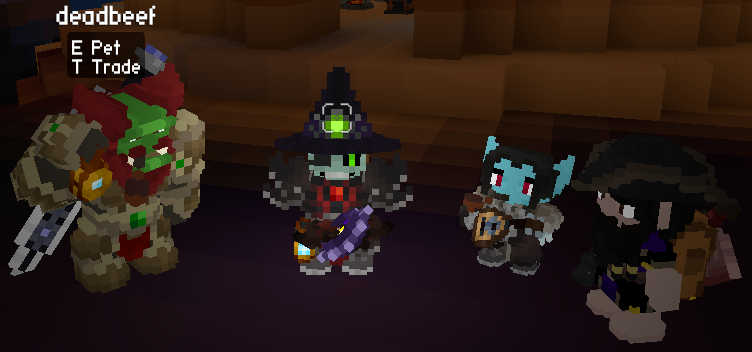
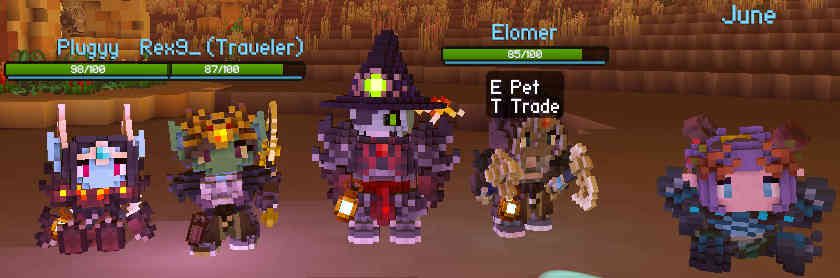
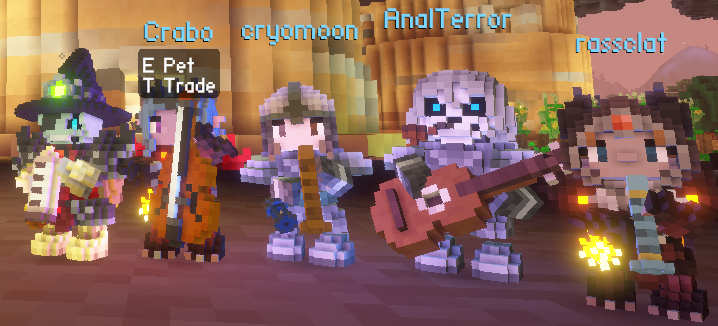
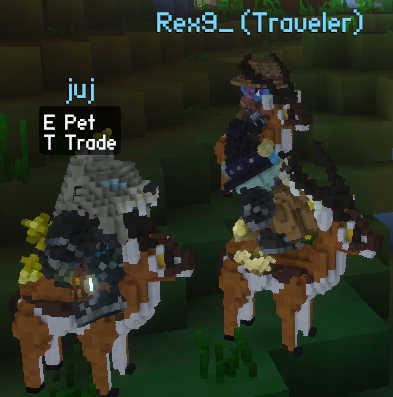
Hi, I'm Argle Bargle. I often help out noobs on the official server.veloren.net multiplayer server. I try to keep this guide up-to-date, but it might be out of date by the time you read it (the general advice should stay sound). It focuses on the very basics, so that you don't spam the chat with questions. Some things might seem obvious, but many newbies ask them, so they are included. It is in no way a definitive nor a complete guide for the game. I'd like to thank everyone invlolved in helping me produce this guide (especially Plugyy for checking the NPC sell prices) :)
How do I find information about the game?
There is an official starting guide which you can get to by typing /wiki getting started in the in-game chat, or by visiting this link.
You can consult guides made by other players. The most comprehensive guides are Optimal Guides' guide, Scyushi's guide and Froggy's guide. They have been made for the older versions of the game and several aspects have changed, such as wall climbing movement, weapon skills and some hotkeys. Nevertheless, they are still worth watching if you're not the reading type.
You can access the airship route calculator here.
You can ask in the in-game chat. Most people are genuinely helpful, even if you ask the dumbest of questions.
To see the list of available chat commands, type /help in the in-game chat.
If you want to learn stuff about the game yourself, visit The Veloren Wiki. You can also open a specific page on the wiki by typing /wiki <name> in the in-game chat. The wiki is not always up-to-date, so it might have some mistakes.
SETTINGS TWEAKS
| Interface | Chat | Graphics | Sound | Gameplay | Networking | Experimental Shaders |
Interface
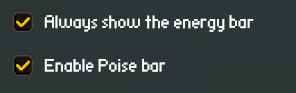
Tick Always show the energy bar and Enable Poise bar to have the health, stamina and poise bar be always visible on the screen.
Chat
Increase the Background Opacity of the chat window for readibility.
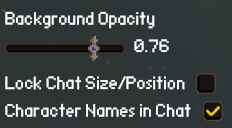
Tick Character Names in Chat to identify players quicker. Some players name their character differently to their account name. When you have it ticked on, whenever a player types in the chat, you will see their [playername] in brackets and Character Name afterwards.
[playername] Character Name: chat message
[Arglebargle] Argle Bargle: this is how chat messages
[Arglebargle] Argle Bargle: look like in-game
[Arglebargle] Argle Bargle: this is how chat messages
[Arglebargle] Argle Bargle: look like in-game
Graphics
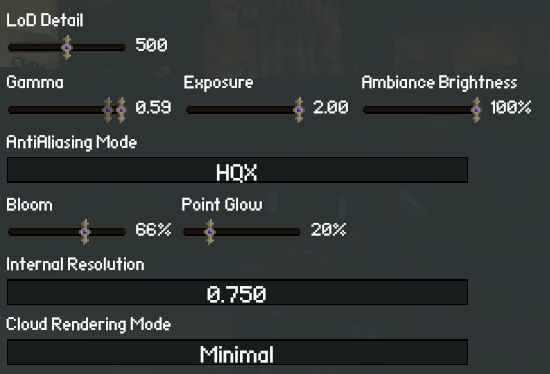
Don't go above 500-600 LoD Detail. There is not much visual difference.
Turn brightness sliders up if you plan on frequently going caving / travelling at night.
Try out FXUpscale / HQX AntiAliasing Mode together with a lower Internal Resolution. You might be leaving free performance on the table (even if you have a beefy PC).
Adjust Bloom and Point Glow. If you don't like glowing lights, turn to the minimum or slightly above. Setting Bloom to maximum allows you to find campfires in the wild quicker.
You can set Cloud Rendering Mode to
Sound
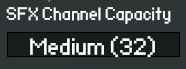
Choose a lower SFX Channel Capacity if you're experiencing audio crackling issues.
To hear music more frequently, turn down the Music Spacing slider.
Gameplay
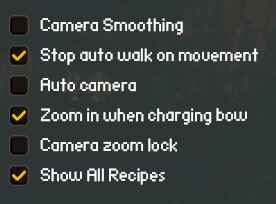
Tick Show All Recipes to make searching for crafting materials easier for yourself. More on that in the Items section.
Untick Zoom in when charging bow if zooming in while charging a bow annoys you.
Tick Auto camera if you prefer your camera to always be behind your character.
Networking

Tick Lossy terrain compression if you're experiencing lag / high ping / crashes / have problems with loading the world.
Experimental Shaders
By typing in /experimental_shader into the chat, you can see a list of shaders. Most of them are either debug functions or are unoptimized/glitchy. To enable a shader, type /experimental_shader <name>. To disable it, type the same command again. The following are the options which I personally use to enhance the game's graphics and presentation:
- SnowGlitter - makes snow have little sparkling dots.
- Photorealistic - changes the shading to be more realistic.
- TerrainPop - instead of switching from LoDs to rendered terrain, the rendered terrain "pops out" of the ground.
- PuddleDetails - makes rain puddles look more realistic.
- Underwarper - distorts the screen when you are underwater.
- ProceduralLodDetail - increases the quality of the LoD models, but causes the LoD's to wave around.
(MIGHT LOWER PERFORMANCE) .
Other interesting options are:
- BareMinimum - lowest possible graphics (may be unplayable).
- GradientSobel - enables cell shading (comic-like contours on everything).
- Cinematic - increases the saturation.
- CurvedWorld - makes the world appear round (terrain glitches out heavily).
CONTROLS TIPS AND TRICKS
You press
You can block using melee weapons by pressing
You can toggle your cursor by clicking
You can have your character autowalk by clicking
You can emote:
You can enable free look by pressing
If you maximally zoom in, you enter first person mode. You can also press
FIRST STEPS ON THE SERVER.VELOREN.NET
What are good starting cities?
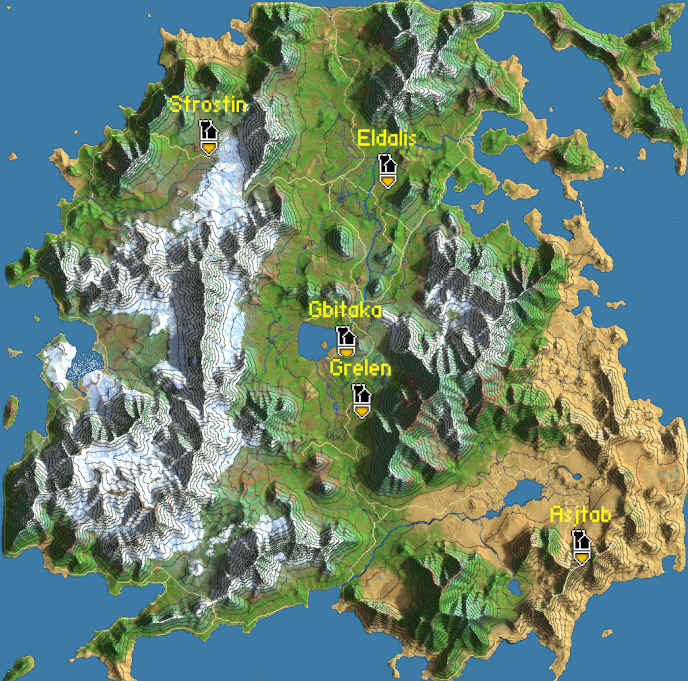
When creating a new character, you can choose your starting location. The best locations to choose are the capitals chosen by players. They are usually located near the center of the map. If you spawned in another city, try getting to the capital as soon as possible. Alternatively, you can create a test character to ask in the chat ". Which city has the most players?" or "Which city is the capital?". After that, go and create your actual character and spawn there.
At the time of writing, the main player capital is Gbitaka (traders / old players), and the secondary one is Grelen (new players). You can travel from Gbitaka to Grelen and from Grelen do Gbitaka with an airship, so either one works.
What are the most important airship routes?
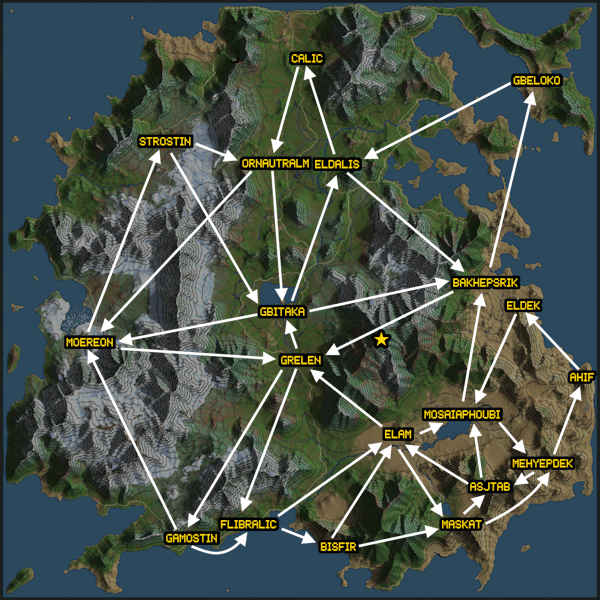
To access the Veloren airship route calculator, go here. The site shows only direct routes from city to city, which aren't always the fastest.
Trowmeon Peak, the highest mountain on the map, is marked by a star.
The longest airship route is from Maskat to Calic, which takes 20 minutes.
Multiplayer ettiquette
Don't use
Whoever grabs the loot first, gets it. Talk to your group beforehand if you want to get particular loot. After you finish a dungeon, you should share the loot.
Avoid using global chat if you don't need it. More in the Chat section.
Server lingo
- reset - find more here.
- cf / wp - campfire / waypoint. Both refer to campfire.
- mf - Mindflayer, the Cultist dungeon boss.
- gr - Glowing Remains, rare drop from Mindflayer required for crafting best bags.
- gbi - Gbitaka / mos - Mosaiaphoubi / bak - Bakhepsrik. Shortened towns' names.
- ori - Orichalcum, which is the best Metal in the game.
- gigas - Frost / Fire Gigas. They are overworld bosses, that require many players to take them down.
- M1 - Left Mouse Click / M2 - Right Mouse Click / M3 - Middle Mouse Click
- T1, T2, T3, T4, T5 - refers to the dungeon tier.
Item prices
There aren't really set prices for items, but
| Approximate player price | ||
| Cobalt Weapons & Armor Recipe | ~5k-8k | ~851 |
| Tier 5 Recipes | ~10k | ~2213 |
| Glowing Remains | ~200k | ~93k |
| Dragon Scales | ~5k | ~3700 |
| Ashen Armor | ~300k per setpiece | ~100k per setpiece |
| Boreal Armor | ~200k-300k per setpiece | ~100k per setpiece |
| Mjolnir / Saggita / Caladbolg | ~200k per weapon | ~4800 |
| Parashu / Caduceus / Laevateinn | ~10k - ~100k per weapon | ~4800 |
| Phoenix Feather | ~40k | ~19k |
| Orichalcum Ingot | ~10k | ~3k |
| Eldwood | ~2k-3k | ~1800 |
| Bloodsteel Ingot | ~2k-3k | ~643 |
| Gold Ingot | ~5k | ~1232 |
| Violla | ~200k - 300k | ~6489 |
| Icy Talharpa | ~400k | ~395500 |
| Wildskin Drum | ~100k | ~6489 |
| Scarlet Spectacles | ~40k | --- |
| Rat Tail / Christmas Hat | ~60k | --- |
| Molten Core / Glacial Crystal | ~170k / | ~93632 |
| Ankh of Life | ~500k | ~3250 |
| Bloodmoon Relic | ~40k | ~9888 |
| Bloody Tear | ~40k | ~6242 |
COMMON ISSUES WITH THE GAME
I can't make my cursor disappear!
Just press
My audio is lagging!
This bug can be caused by having too high SFX Channel Capacity, try turning it down. If that does not work, navigate to %AppData%
I have very high ping! / Game crashes!
To check your ping, press
Try lowering your Render Distance in the Graphical settings. You might also try turning on Lossy terrain compression in the Networking settings. If that does not help, try relaunching the game.
I have ingredients, but I can't craft!
Crafting in the game requires that you get the appropriate recipe.
If you have the recipe: Go into your inventory, pick up any item and put it in another slot. If it does not fix it, try relogging
I can't mine any ores!
You need to zoom in with your camera or go into first person mode.
There is a flickering black sphere on my screen!
This can be caused by having your renderer set to
I get the "stream closed" error!
This can be caused by your internet connection being unstable.
This may also happen when using a VPN or a proxy. Those programs reroute your connection often, causing changes of the IP adress you connect to the server from. It may happen when you open another website (i.e. typing /wiki <item> in the chat). When that happens, any previous connections you had will be disconnected. That causes Veloren to kick you out (or rather, your VPN/proxy is terminating the connection it had to the Veloren server). One way to solve it is
It may also be because your ISP/government is blocking internet traffic. In that case you may need to use a DPI Bypass tool.
Airshipper doesn't want to launch the game!
Go to %AppData%
I can't properly respawn
When you die in first person, the game may have some trouble with respawning you at a campfire. You need to zoom out and you will respawn properly.
World is gone after switching to launcher version!
Some linux package managers (i.e. AUR) allow you to install just the game (veloren) without the launcher (airshipper). If you installed one and then switched to the other, your save files will not automatically transfer. You need to copy your files from /homeWHAT IS THERE TO DO?
DUNGEONS
Dungeons are the bread and butter of every Veloren player. There are five tiers of dungeons, signified with the amount and color of the dots above the icon. While technically the dungeon tier determines difficulty, after you get better gear it's more about what tier of recipes you get from it. There are three ways to call out dungeons in the chat:
 |
 |
 |
 |
 |
 |
 |
 |
 |
 |
DUNGEON TYPE / DUNGEON NAME / DUNGEON TIER
[Arglebargle] Argle Bargle: anybody doing gnarling dungeon?
[Arglebargle] Argle Bargle: is someone going to glibtrok?
[Arglebargle] Argle Bargle: I'm up for a T1
The exception is the Cultist dungeon, which can also be reffered to as:
[Arglebargle] Argle Bargle: anybody doing gnarling dungeon?
[Arglebargle] Argle Bargle: is someone going to glibtrok?
[Arglebargle] Argle Bargle: I'm up for a T1
[Arglebargle] Argle Bargle: is there a party for mf
MF is the abbreviation for Mindflayer, the Cultist Dungeon boss (he can be a mean mf, tho)
MF is the abbreviation for Mindflayer, the Cultist Dungeon boss (he can be a mean mf, tho)
Be sure to find and grab a campfire close to the dungeon. In case you die, you will respawn closer to it, saving you the trek. It also allows you to reset a dungeon.
Some high-tier dungeons involve climbing, as such they require you unlock the stamina skills. If you're getting carried by more experienced players and can't climb out of a hole, you can respawn at a campfire near a dungeon if you grabbed it beforehand.
I can't find ... in a dungeon!
- The final boss in T1 dungeons is below the ground. To get to it, climb down the giant tree stump somewhere near the area where you fought the Cheiftain.
- The T3 Sahagin key is found on top of the wooden platforms in the towers on the outside ring of the dungeon.
- The T4 Haniwa keys are located in vases found in the center of the rooms on the outer walls of the dungeon.
- You enter T4 Vampire Castle dungeon by climbing on top of the roof and jumping on a chain hanging from one of the towers. You find the key by killing a Harlequin.
- Loot chests in T5 Myrmidon dungeon are in the area right below the entrance to the colloseum.
- Terracota Chest Keys in T5 Terracota dungeon drop from Terracota Statues (the heads that shoot at you).
How do I reset a dungeon?
You reset a dungeon by everyone in a group going to the pause menu and clicking
You should signal when you are ready to reset by typing it on the chat. Another somewhat recognize signal is deploying your gilder with
What do I need to communicate during a raid?
Before going on a higher-tier dungeon raid, you should tell other players if you have lower-tier gear. Most experienced players will carry a newbie through a dungeon for them to get some XP, so don't worry about getting kicked for being underlevelled.
If you need specific loot, try to tell other players before going into the dungeon. Alternatively, you should be able to get your share after the raid is over.
You should tell others when you are going back to town for repairs.
You should also be able to communicate your readiness to reset a dungeon. You can do so by typing "reset" in the chat. A signal recognized by some players is deploying your glider with
Mining
Mining is done in Caves. All caves in the game are one giant interconnected system. You can walk in one place, and walk out halfway across the map. Be careful - caves contain very strong enemies that even experienced players have troubles with.
To mine ores and gems, you need to craft either one of the Pickaxes. Some ores and gems are found at specific places: you will find way more Diamonds in Ice Caves and
Which pickaxe should I get?
Both pickaxes can mine all ores present in the game. Steel Pickaxe is slightly faster when mining.
Exploration
Exploration, or more accurately travelling through the world, is what you'll spend most of your time doing. You can find sites scattered around the world. Consider those "enemy outposts" or "cool places to find". They can contain loot chests or foes to fight. To open these, you may need to craft lockpicks.
How do I get around faster?
There is
To get back to your last campfire you can press
There are some faster methods than walking everywhere:
- Airship travel
- Quick Draw + Agility Potion
- Antelope
- Gliding
- Bunnyhopping
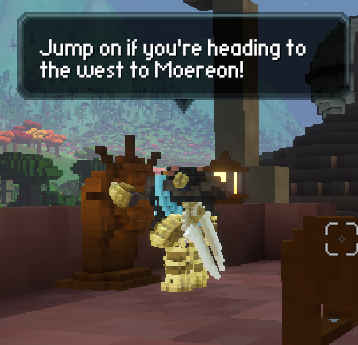
Airship travel is the most efficient way to travel to far-away towns. If the town you are in has an airship tower, climb it, and wait for an airship to your desired direction.
Quick Draw + Agility Potion is a combination of item and a weapon skill that allows you to outrun most things in the game. You need to unlock the Quick Draw skill from the Sword Skill Tree. It is in the Agile branch. After drinking an Agility Potion, you spam Quick Draw until you run out of stamina.
Antelope is the fastest mount in the game. They are found in Savannah biomes, but you can very rarely come across them in Jungles and Forests. To tame it, you need to craft a Collar (you need to learn the
Gliding is usually done from mountain tops or from airships. If an airship doesn't go exactly to the place you want to get to, you can travel in a direction parallel to it and glide off the airship. You control the direction of travel with your
Bunnyhopping allows you to travel slightly faster than walking. You hold
PVP
Press
/battlemode pvp
/battlemode pve
/battlemode pve
You can only fight with people who also have PVP enabled.
FAQ for the beginners
Character creation
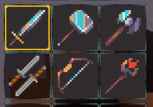
On the character creation screen you are choosing the starting weapon and
The height of the character determines their
Apart from the character's race, all of your character's attributes can be changed later on. You can change your character's sex by crafting the Hastened Reformation Tincture. All of the other attributes can be edited directly in the
Do I lose items when I die? How do I save?
You do not lose items on death. However, every time you die, your equipped armor and weapons lose 1 point of durability. You can expand your inventory space to hold more items by getting bags.
You save your game by sitting next to a campfire by pressing
Every single city has a campfire. They also spawn randomly around the world. You should be able to find one reasonably close to a dungeon. To spot them more easily, you should up the Bloom setting. Campfires are easier to see during the night.
How do I use Sceptre / heal?
There are four ways of healing in the game:
- Sitting next to a campfire / sleeping in a bed
- Eating/drinking food
- Drinking potions
- Using a Healing Sceptre
Sitting next to a campfire by pressing
Eating food is best at the beginning, because potions require a recipe to craft. Try using Cactus Colada or Sunflower Ice Tea, as you can drink them while walking/fighting.
Drinking potions should be done as a last resort to not die during a fight. You will do fine with just Minor Potions.
Healing Sceptre is the only healing weapon.
How do I see coordinates / mark location on the map?
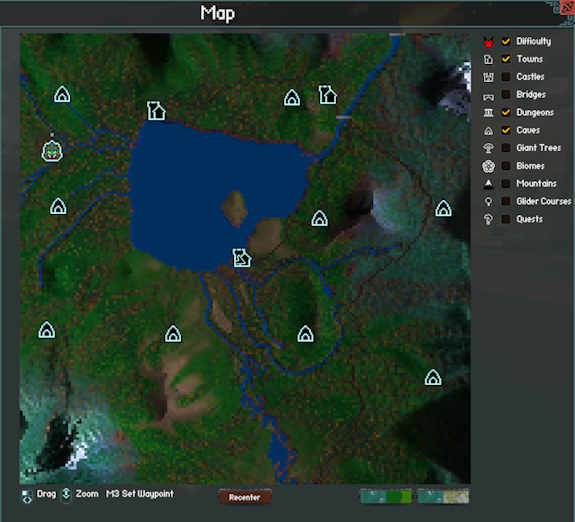
You can see your coordinates when you place a marker on the map with the
You can toggle the elements visible on the map by ticking them on the right side of the map screen.
To change the level of detail of the minimap / main map mode, use the two buttons
in the bottom-right corner.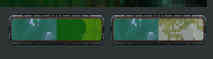
You zoom in/out on the minimap by pressing
Which areas are good for begginers?
There aren't really any easier areas. You need to watch out for harder mobs in every single biome you are in. Use your eyes to determine if a mob is easy to beat. If something looks like it will devour you in one bite, it probably will. That said,
To have an easier time, go to or spawn in the capital. There will be more players to help you there. Areas around the capital might not have as many resources for new players or NPC merchants as other nearby towns.
If you spawned in a town next to a river, try following it while avoiding harder enemies you may find alongside it. Try killing small mobs such as
Where do I find recipes?
Crafting requires Recipes. After getting them, you learn them by
| Tier | Melee & Armor | Cloth Armor | Hide Armor | Ranged Weapon | Equipment | |
|
T1 | Iron | Woolen | Leather | Bamboo | --- |
|
T2 | Steel | Silken | Scale | Hardwood | Basic |
|
T3 | Cobalt | Druid | Carapace | Ironwood | Basic Moderate |
|
T4 | Bloodsteel | Moonweave | Primal | Frostwood | Moderate |
|
T5 | Orichalcum | Sunsilk | Dragonscale | Eldwood | Moderate Advanced |
Which items should I get/craft?
If you turned on "Show All Recipes" in the "Gameplay" settings, you can more easily search for recipies in which an ingredient is used in. In the crafting search field type input:<name>. For example, typing input:Diamond will show you which recipes need diamonds.
First things you should do is go to a Forest and find some
You should also get some basic recipes, such as
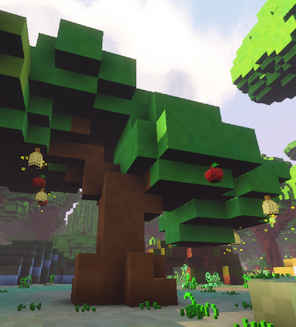
First items you should craft (or be gifted by a helpful player) are bags. You should also get some better weapons and armor. You should also get a pickaxe. Afterwards, craft yourself a couple of Minor Potions. Honey and Apples are sold by NPCs or grow on trees found in the overworld.
There are three items you need to have in your inventory for several recipes:
How do I craft better weapons?
The game features a modular crafting system. To craft higher tiers of weapons, you first need to find the appropriate recipes. To craft a new weapon you need to combine the primary component and the secondary component in the
| Primary component | + | Secondary component | = | Weapon | ||
| Wood/Metal | + | Animal material | with ranged: DMG+Buff / Speed | |||
| (Tier) | (Stat focus) | with melee: 1H / 2H | ||||
| Base stats | x | Multipliers | = | Stats | ||
Primary components are crafted with Metal in an Anvil (
Secondary components are crafted in a Crafting Bench (
You can dual weild 1H weapons of different types. If you dual weild two different weapons, skills from both become available to you to be put on one hotbar.
Which weapons do I craft?
Dual weilded 1H weapons offer you more flexibility with character loadouts. If you want the highest DPS possible, check out Necti's video. 2H weapons are easier to use for beginners trying to understand the mechanics of the game.
These are the subtypes of 2h weapons I personally prefer:| WEAPON NAME | ANIMAL MATERIAL | STAT FOCUS | SECONDARY COMPONENT | |
| SWORD | Sabre | Strong Pincer | Long Sword Hilt | |
| SWORD | Sawblade | Sharp Fang | Long Sword Hilt | |
| AXE | Jagged Axe | Sharp Fang | Long Axe Hilt | |
| HAMMER | Greatmace | Strong Pincer | Long / Medium Hammer Haft | |
| BOW | Warbow | Strong Pincer | Large Bow Grip | |
| BOW | Shortbow | Predator Claw | Short / Medium Bow Grip | |
| SCEPTRE | Crook | Sharp Fang | Large Biocore | |
| SCEPTRE | Crozier | Predator Claw | Small Biocore | |
| FIRESTAFF | Brand | Predator Claw | Small Pyrocore / Pyrocore |
Be aware that Energy Efficiency stat also affects the stamina cost of a roll.
Should I get highest tier gear?
The tier multiplier difference between T5 and T4 weapons is just 0.05x. This translates to +0.8 power (yes, that's less than one point). As such, it is not that economical to craft if you do not have a surplus of materials available on hand. Grinding specifically for these is not worth it. If you are to get Orichalcum ingots, save them for the armor.
The other type of gold-tier weapons, the relic weapons, are purely for looking cool, you can craft weapons with better stats yourself. Buy only when you don't know what to do with those 200,000 coins in your inventory.
Which armor should i get?
To craft armors
There are several types of armor sets, which cover the broad three stat-types:
| ARMOR TYPE | TIER 0 | TIER 1 | TIER 2 | TIER 3 | TIER 4 | TIER 5 | ATTIRBUTES |
| METAL | Bronze | Iron | Steel | Cobalt | Bloodsteel | Orichalcum | Armor Stun Resistance |
| CLOTH | Linen | Cotton / Woolen | Silken | Druid | Moonweave | Sunsilk | Energy Max Energy Reward |
| HIDE | Rawhide | Leather | Scale | Carapace | Serpentscale / Primal | Dragonscale | Crit Power Stealth |
There is no real division between traditional classes. You can use every set with every weapon depending on your playstyle. Armor mixing between the different sets is also doable.
There are also some special armor sets that fall in-between the three above-mentioned categories.
The recipe for Cobalt Weapons & Armor might prove difficult to find (it drops from chests in Sahagin dungeon or from Golden Chests in Caves). It might be worth it to buy it from a player.
Are there brighter lanterns / better gliders?
All gliders and most lanterns are purely cosmetic. The different lanterns have different light colors. If the lanterns are too dim for you, try turning up your brightness settings.
Regular lanterns are better for travelling at night, as they light up a larger area around you. These two have a directional lightcones which make it good for mining in caves:
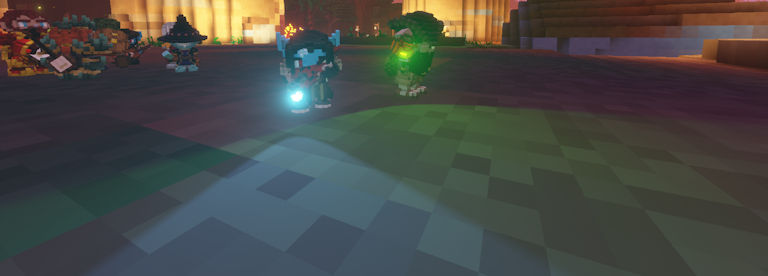
- Eerie Pumpkin - drops from Tier 1 dungeon boss or from Witch Chests.
- Delver's Lamp - craftable from Tier 5 dungeons drops.
How do I repair my gear?
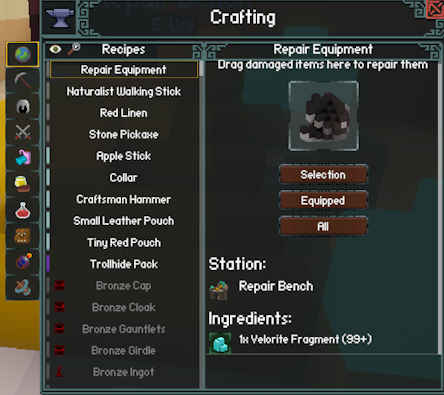
Every time you die, all of your equiped items lose one point of durability. To repair your gear, you will need to find a Repair Bench in a town. The basic ingredient for repair are Velorite fragments.
Is there a player storage / bank for items?
There is currently
There are two main sets of bags - Woven ones (utilising Red Linen, Silk, Soft Wool and Amethyst) and Leather ones (utilising Leather, Thick Leather, Trollhide and Diamonds):
- +6 Slots - Tiny Red Pouch / Small Leather Pouch
- +10 Slots - Knitted Red Pouch
- +15 Slots - Woven Red Bag / Reliable Leather Backpack
- +20 Slots - Sturdy Red Saddlebag / Trollhide Pack
You need each tier of the Woven bags to craft the next one. With the Leather bags there is no 10 slot one and the highest tier is a separate recipe. Alternatively, you can obtain a Liana kit (+15 Slots) by killing Sauroks in the Jungle. The highest tier and most sought after bag is the Mindflayer's Spellbag (+27 slots).
You can also find a Pirate Satchel (+3 Slots) or craft a Traveler's Backpack (+20 slots) which you wear in your Cape slot. These two are unique in that they require to be repaired.
How do I set up my skills/hotbar?
Each weapon type has it's own skill tree. You gain experience by actively using this itemin your main hand or offhand.
To open the Abilities window, click
To assign a skill, drag it from the list to the slots in the Abilities window. To
You can assign items do your hotbar by dragging them from your inventory to the hotbar directly. If you're using 2h weapons, I reccomend the following arrangement:
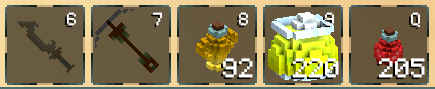
- 6 - your main weapon
- 7 - pickaxe / another main weapon
- 8 - Agility potions
- 9 - Sunflower Ice Tea / Cactus Colada (you can eat those while moving)
- Q - Minor Potion
You can normally equip two weapons on your character and switch between them with
Which skills should I get? (scroll down for more)
These are the skills which I personally use.
As mentioned previously, when dual weilding one-handed weapons, you can equip the skills for the main-hand weapon and for the offhand weapon separately. I use mostly 2H weapons, and mixing skills for different weapon types will not be covered in this guide. Experiment and reach your own conclusions :)
Sword
My sword build focuses more on being universal. These 5 skills provide you with most flexibility without needing to switch to other weapons. To find more information on sword skills, click here.
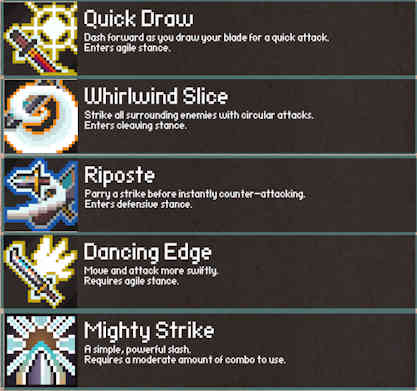
- Quick Draw - this skill is essential for mobility. When combined with an agility potion, it allows you to travel at very fast speeds. It also enteres the Agile Stance which changes the
Mighty Strike skill intoHundred Cuts , which is the main damage dealing skill. - Whirlwind Slice - this skill is the main AoE skill. It enters the Cleaving Stance, which changes the
Mighty Strike skill intoBladestorm , allowing for even better AoE attacks if need arises. - Riposte - this skill allows you to parry attacks. You need to time the swing of the weapon with this skill with the enemy attack. By using this skill, many high-level enemies can be beaten without taking any damage.
- Dancing Edge - this skill allows you to attack faster with the sword. It requires the Agile Stance to be triggered with the Quick Draw skill. Can be changed to
Disengage orFeint if you prefer dodging attacks. - Finisher (Mighty Strike / Hundred Cuts / Bladestorm) - this devastating attack is the main damage dealing skill. It requires 10 combo to use. To use
Hundred Cuts , activate Agile Stance withQuick Draw and holdRight Mouse Button near an enemy. You can also activateDancing Edge to attack even faster. When you achieve 10 combo, press5 . If dealing with large swarms of enemies, first activatingWhirlwind Slice and then using theBladestorm skill will allow you to dispatch them effectively. Be wary that if you get attacked during Bladestorm, you will stop attacking.
You may also consider using
Hammer
Hammers are focused on disabling enemies and dealing damage. This build focuses on this aspect while being somewhat easy to understand. To find more about hammer skills, click here.
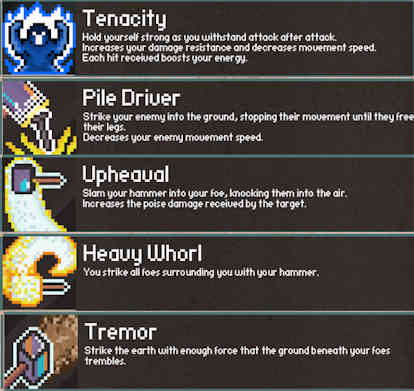
- Tenacity - this skill allows you to regenerate more stamina from attacking. It also gives you damage resistance.
- Pile Driver - this skill decreases an enemy's walking speed. Very useful for controlling an arena.
- Upheaval - this skill throws an enemy into the air while also increasing poise damage taken by them (less poise = more easy to stun). Can be used in conjunction with
- Heavy Whorl - the AoE skill for the hammer.
- Tremor - allows you to damage enemies through walls
Axe
To be done.
Pick one of those: Berserk, Sunder, Bloodfeast, Fierce Raze, Furor, Adrenaline Rush, Rake, Brutal Swing, Bulkhead.
To find more about axe skills, click here.
Bow
To be done.
How do I add friends?
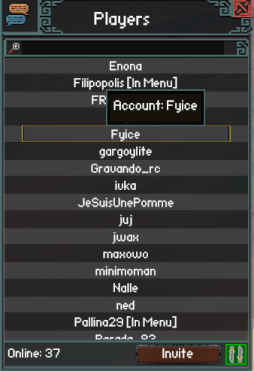
There is currently
You can make a temporary group that will last until everyone leaves it or the leader quits the game. There are two ways of adding people into a group:
- Through the Players menu
- Through a chat command
You open the Players menu with
To invite someone through the chat, you can use the following command:
/group_invite <playername>
To access the group menu after successfully creating a group, you need to unlock your cursor by pressing
How do I resize/scroll or write to someone in chat?
To resize or scroll your chat window, you need to first toggle your cursor by pressing
To write to someone in chat, you need to change your chat mode. You only need to type the shortcut in chat once for the chat mode to change. Any message you write afterwards will be sent in that chat mode. There are 5 chat modes:
- /w is for global chat (everyone can see your message). It is saved on the Discord server.
- /r is for region chat (~200 blocks around you)
- /s is for say (~100 blocks around you)
- /g is for group chat (people you have in your group)
- /t <playername> is for dirrect messages (the [playername] is the one in brackets in chat)
To list all available commands, type
How do I add money/items while trading?
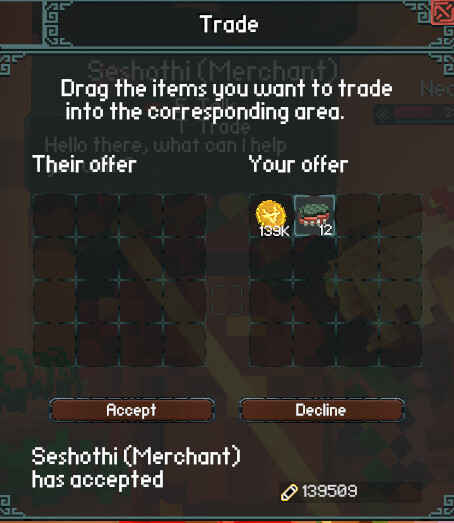
You get money by selling items to Merchant NPCs or to other players
You add a certain amount of an item to the trading window by first dragging the entire stack of it into the trading window. Then, you click on the stack
By Shift-clicking you add one of an item to the trade.
By Ctrl-clicking you auto-add the amount to balance the trade while trading with NPCs only.
You can also hold an item with Left-click and click Right-Click on an empty inventory slot to split stacks. While possible to do, it is rarely used.
Which items / NPCs are worth trading with?
You can sell Recipes from a T1 or a T2 dungeon for around [300 coins]. Keep the higher-tier recipes to trade with players.
Scales (drop from Crocodiles, Raptors, Haqulaks, Asps etc.) [~150 coins] and Hard Carapace (drop from Beetles, Snappers, Antlions, Drakes etc.) [~250 coins] are quite good for trading with NPCs. You can get quite a decent amount of them with relatively little griding.
Merchants are your main source of getting Coins. They also have the widest array of wares: they sell some basic equipment, armor and weapon recipes, as well as weapon parts, Tier 1 weapons and armor, some crafting ingredients, Potions and Charms and much more. Players usually sell unwanted loot to them, so you might happen upon some high-tier items in capitals.
Farmers and Chefs sell you some basic food items. Chefs can sell you a Food recipe.
Blacksmiths sell basic armors as well as some basic recipes. They are a source of Iron Armor & Weapons Recipe.
Herbalists sell more crafting ingredients, potions and charms.
Alchemists sell Potions and Explosives recipes, as well as Sunflower Ice Tea.
How do I haggle effectively?
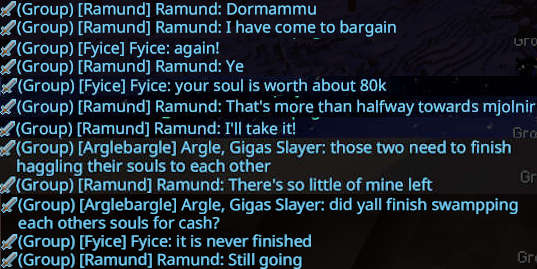
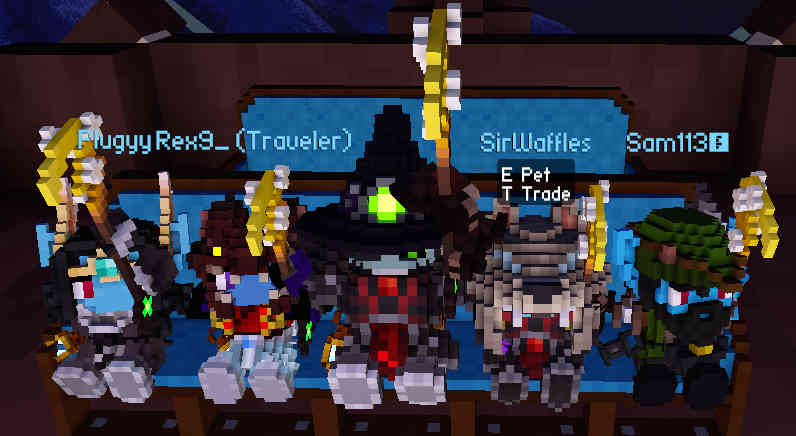
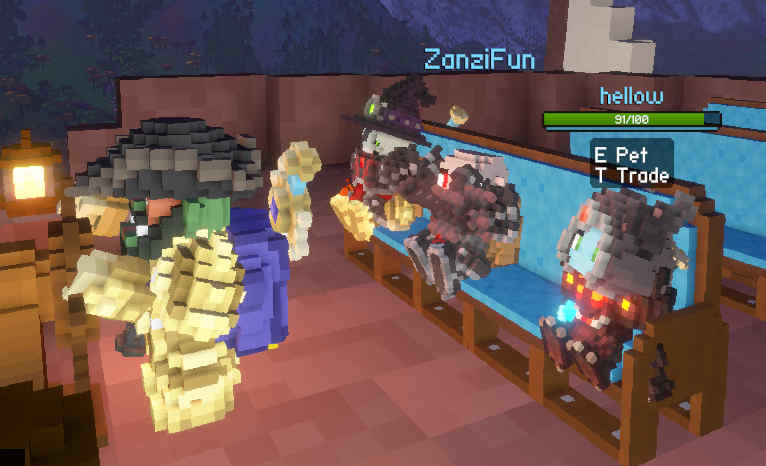
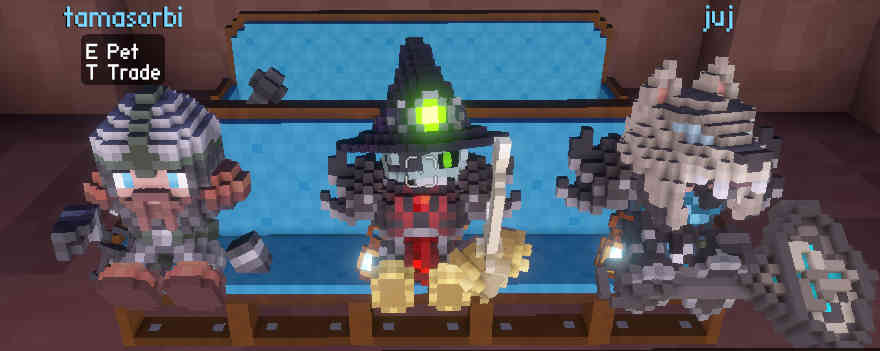
Sometimes you may haggle a better price for yourself with another player. While you might not be as effective of a player merchant as these two fine gentlemen on the screenshot, there is still a lot you can do.
- You can sometimes barter instead of trading with coins
- People can pay more for an item if they want it in a given moment
- Not all items have a set price, so you can set the price yourself sometimes
Players will usually sell Cultist Gear, as for higher level players it is useless as it drops often.
How do I master the movement?
You jump slightly higher when you jump immediatelly after a roll.
Don't let your stamina fall to single-digit value during a fight. The Energy Efficiency stat of your weapon determines stamina usage for rolling.
How do I climb walls?
To begin climbing a wall, jump at it and
To perform a walljump,
To let go off of a wall, press
How do I dodge/counter attacks?
The most basic type of dodge is rolling. You perform it by clicking
You can also dodge attacks by using Sword Skills, mainly
You can counter attacks with
How do I tame pets?
To tame pets, you need to craft a Collar (you need to learn the
Which mounts are the best?
Antelopes are the fastest mounts on land and are one of the reccomended methods of travel.
Kelpies can travel effortlessly through water.
Salamanders float on lava, as such they can be a cool mount option to traverse lava caves.